
Why Bank Statements Slow Down Lending Faster Than Almost Any Other Document
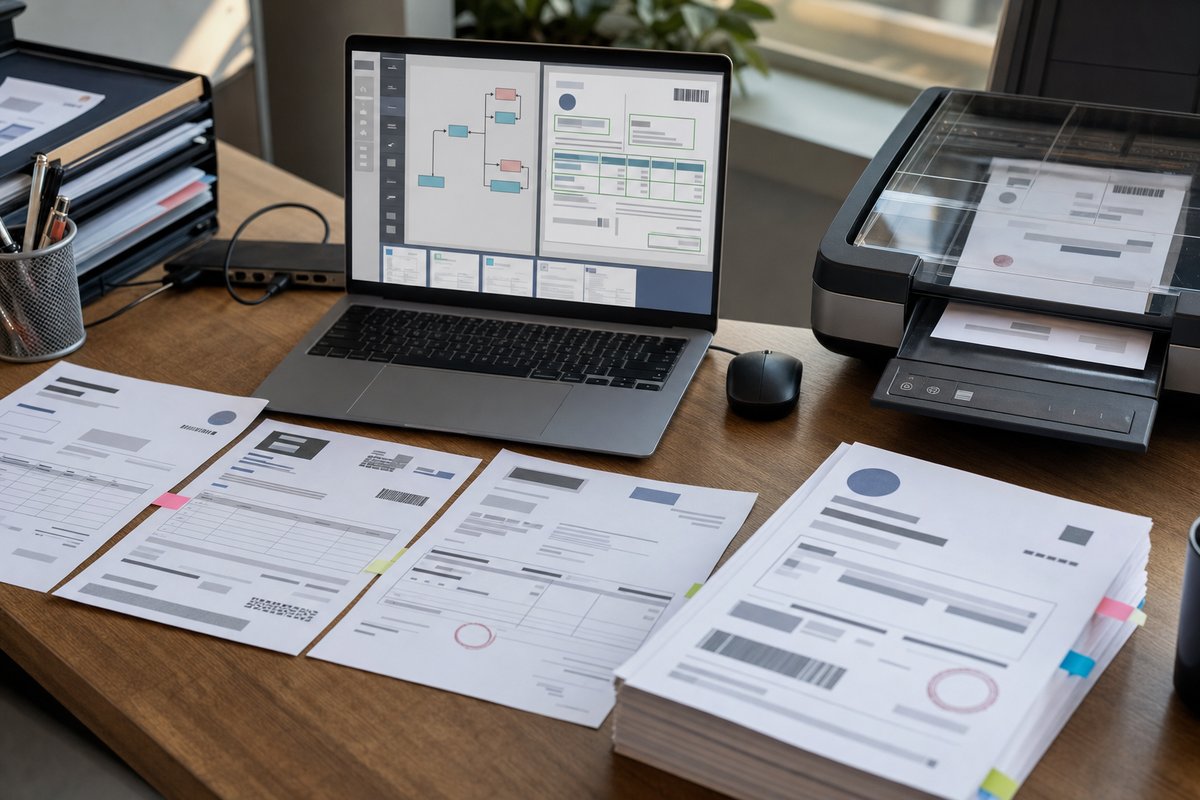
If you work in lending or underwriting, you already know the pattern. A borrower uploads three months of bank statements—or six. Sometimes they are clean PDFs straight from major banks like Chase, Bank of America, or Wells Fargo. Sometimes they're phone photos, password-protected downloads, or scanned copies that look like they went through a fax machine in 2009.
And then your team has to make sense of them.
Bank Statement Extraction for Lending and Underwriting Teams comes down to one practical job: pulling usable financial data out of messy documents without making your staff read every line by hand. That's the point—not "AI for AI's sake," not some flashy demo. Just faster, steadier underwriting with fewer manual touches.
For most teams, the headache isn't just reading the statements. It's the rekeying, the double-checking, the back-and-forth when a page is missing, and the judgment calls when transaction descriptions are vague. One underwriter spots an overdraft right away. Another misses it because it's wedged between payroll deposits and Zelle transfers.
That kind of inconsistency matters. Lending decisions often hinge on details like average daily balance, NSF activity, recurring obligations, unusual deposits, and whether the account behavior actually lines up with the story in the application.
If you're evaluating automation, it helps to think past basic scanning. Simple text capture can pull words off a page, but lending teams need structure, context, and controls if that information is going to hold up in a real workflow. That's where document extraction starts earning its keep.
What bank statement extraction actually means in underwriting
At a practical level, bank statement extraction means pulling key data from a statement and turning it into something your team or system can use—not just raw text, but structured fields.
That usually includes the account holder name, bank name, masked account number, statement period, beginning and ending balances, deposits, withdrawals, fees, returned items, and the line-by-line transaction table. In a lending workflow, you may also want calculated outputs like total monthly income deposits, recurring debt payments, gambling indicators, cash flow trends, and low-balance events.
Here's the part people sometimes miss: extraction isn't the final product. It's the input to underwriting.
Your team still needs rules for what to do with the data. Should transfers between accounts count as income? Should Venmo deposits be treated differently from payroll? What do you do with a statement that mixes business and personal activity in the same account? The extraction layer gets you the facts faster; your policy framework turns those facts into decisions.
What good extraction looks like
A strong process doesn't just read the page. It recognizes where data belongs and keeps the relationships intact. A transaction date should stay tied to the right description and amount. A multi-line merchant description should remain one transaction, not get chopped into three broken rows. And page headers shouldn't end up mixed into the transaction list.
That's one reason OCR is not enough for underwriting use cases. OCR can tell you what characters are on the page. What it usually can't do on its own is tell you which numbers are deposits, which are balances, and which are just part of a footer or some marketing blurb at the bottom.
Where manual review breaks down
Manual bank statement review works—right up until volume climbs, turnaround times shrink, or your team starts burning skilled underwriter time on clerical work.
I've seen this in organizations that don't even think of themselves as document-heavy. Then someone finally looks closely and realizes underwriters are copying transaction totals into Excel, checking for missing pages, comparing statement dates to the application, and emailing borrowers for replacements. That's not underwriting. That's document cleanup.
The real issue isn't only labor. It's operational drag.
When statements arrive in different layouts from Citi, PNC, Capital One, Navy Federal, or a local credit union, every format change adds friction. Some statements put balances in the top right. Some tuck account summaries in the middle. Some split long transaction descriptions across lines in ways that make reviewers stop and squint for a second. Even experienced people slow down when the format keeps moving around.
And the cost shows up in places you may not be measuring all that well:
- Longer application cycle times
- Underwriters spending time on data entry instead of risk judgment
- More inconsistent treatment across borrowers
- Higher chance of missed red flags or avoidable rework
- Weak audit trails when data is copied manually between systems
There's also a hiring angle people sometimes overlook. The more your process depends on manual statement review, the harder it is to scale without adding experienced people who are already expensive and hard to find. Automation doesn't replace underwriting expertise. It keeps that expertise from getting wasted on busywork.
What lending teams usually need extracted from bank statements
Not every lender wants the same outputs. A mortgage team, a small business lender, and a consumer finance group may all review statements differently. Still, most projects start with a pretty familiar list.
Core fields
- Bank name
- Account holder name
- Statement start and end date
- Account number or masked account number
- Beginning and ending balance
- Total deposits and total withdrawals
- Average balance or calculated balance trend
Transaction-level data
- Transaction date
- Description or memo
- Debit or credit amount
- Running balance
- Transaction type when it can be inferred
Underwriting signals built from the extracted data
- Recurring payroll deposits
- NSF or overdraft events
- Large unexplained cash deposits
- Recurring loan or rent payments
- Gaps in statement periods
- Signs of account instability, like frequent near-zero balances
That last category is where a lot of the value shows up. Extraction gets the data out. Classification and business logic turn it into something an underwriter can actually use.
How AI improves the process without turning it into a black box
When people hear "AI," they often picture a mysterious model making approval decisions on its own. That's not what most lending teams need—and honestly, it usually isn't the first win anyway.
The more useful role for AI here is narrower and a lot more practical. It can identify document types, locate fields across different statement formats, reconstruct transaction tables, and normalize data so your team isn't dealing with dozens of layouts by hand. If you want the plain-English version, here's how AI document intelligence works without the technical rabbit hole.
In Microsoft-centric environments, this often fits naturally with Azure AI Document Intelligence, Power Automate, SharePoint, Dynamics 365, Dataverse, and downstream review apps in Power Apps. A borrower uploads a file through a portal or inbox. The system classifies it as a bank statement, extracts the data, applies validation rules, and routes exceptions for human review.
That's the sweet spot: automate the routine files, put human eyes on the weird ones.
And yes, there are trade-offs. AI extraction is not magic. If a borrower uploads a blurry screenshot with half a page cut off, you still need exception handling. If a regional bank uses an unusual layout, the model may need testing and tuning. And if your underwriting policy is fuzzy, automation will expose that pretty quickly.
Honestly, that's useful. Messy policy hidden inside manual habits doesn't scale.
What to validate before you trust extracted data
One mistake I see all the time is teams jumping straight from “the model found the fields” to “let’s feed this into decisioning.” That's too big a jump.
For lending, you want validation at several levels.
Document-level validation
Start with whether the statement is complete and believable. Are all pages present? Do the statement dates match what was requested? Is the document actually a bank statement, or is it a transaction export or account screenshot?
Field-level validation
Then validate the basics. Does the ending balance on one page line up with the beginning balance on the next statement when you're reviewing multiple months? Are totals in the summary section consistent with the transaction rows? Are dates in a valid sequence?
Business-rule validation
Then go deeper. If a borrower claims monthly employment income, do the extracted deposits show a recurring payroll pattern? If there are multiple large transfers in, are they internal transfers or outside funds? If your policy treats overdrafts as a material risk signal, has the system flagged them correctly?
This is where a solid document intelligence pipeline matters. You don't want one giant step that says “extract everything and hope for the best.” You want stages: intake, classification, extraction, validation, exception handling, review, and storage with traceability.
Compliance and auditability matter more than speed alone
Speed gets attention first. For a lot of lenders, though, the longer-term value is control.
If your current process involves staff downloading statements, renaming files by hand, emailing spreadsheets around, and copying values into line-of-business systems, you have more than an efficiency problem. You have a governance problem.
A well-designed extraction workflow can reduce compliance risk by creating a cleaner chain of custody for documents and extracted data. You can track when a file came in, which version was processed, what values were extracted, what confidence thresholds or validation rules were applied, and where a human reviewer overrode a result.
That's useful in an audit. It's useful for QA. And it helps when somebody asks six months later why a file was escalated or how a cash-flow figure was calculated.
There's another angle here that deserves more attention: fairness and consistency. Manual review can create subtle differences in how similar files get treated, especially when people are under the gun. Structured extraction and standardized review screens won't remove judgment, but they can make that judgment a lot more consistent.
Common implementation mistakes to avoid
Plenty of document automation projects struggle, and usually not because the technology can't read the statements.
Trying to automate bad process
If your underwriting team doesn't agree on what counts as income, what triggers an exception, or how to handle incomplete statement periods, the software won't fix that. It'll just surface the disagreement faster.
Focusing only on field extraction accuracy
Accuracy matters, obviously. But operational fit matters too. A tool can extract transactions well and still flop if your reviewers can't verify exceptions quickly, or if the output doesn't map cleanly into your LOS, CRM, or case management workflow.
Ignoring exception design
This is a big one. Every real process has edge cases. Password-protected PDFs. Duplicate uploads. Mixed document packets. Joint accounts. Statements with image artifacts. If your design only works for clean files, users will lose trust fast.
Skipping downstream ownership
Someone needs to own the extracted data after it leaves the model. Where does it land? Who can correct it? How is the corrected value stored? Does the fix improve future processing or just patch one case manually?
Those questions sound operational because they are. That's exactly why they matter.
What this can look like in a Microsoft environment
For organizations already using Microsoft tools, bank statement extraction doesn't have to turn into a disconnected point solution.
A common setup looks something like this: documents arrive through a Power Pages portal, secure email intake, a SharePoint library, or a loan origination intake process. Azure AI Document Intelligence extracts the structured content. Power Automate routes the file and output data. Dataverse stores normalized results. A Power Apps review screen lets analysts compare the source document to extracted fields side by side. Exceptions get assigned to a queue, and approved outputs move into underwriting or case systems.
That's not the only architecture, but it works well because it balances automation with control. Your team doesn't have to bounce between five disconnected tools just to process one borrower file.
If you're early in the process, don't try to automate every lending document all at once. Bank statements alone can justify the effort because they tend to be high-volume, repetitive, and central to decision-making.
How to evaluate a bank statement extraction solution realistically
If you're comparing vendors, internal builds, or Microsoft-based approaches, ask practical questions.
- Can it handle major bank formats and also less common credit union layouts?
- How does it perform on scanned images, not just digital PDFs?
- Can it preserve transaction rows accurately across multi-page statements?
- What validation rules can you configure without custom development?
- How are exceptions reviewed, corrected, and audited?
- Where does the extracted data go next?
- Can your team explain the result to an auditor or business stakeholder?
I'd recommend using a real sample set—not polished demo files. Include ugly statements. Include mixed-quality scans. Include statements with missing pages and odd formatting. That's where you find out whether the solution helps your team or just looks good in a sales meeting.
And don't judge success only by extraction accuracy in isolation. Look at total handling time, reviewer effort, exception rates, and whether underwriters are actually getting cleaner, faster inputs.
The next step that makes the most sense
If you're exploring Bank Statement Extraction for Lending and Underwriting Teams, the smartest next move is pretty simple: pull a sample of 50 to 100 real statements from your current workflow and map what your team actually does with them.
List the fields you need, the exceptions you see most often, the decisions those statements influence, and the systems where the data ends up. Then compare that map against your current manual effort. Once you do that, the right automation design usually gets a lot clearer.
If you want a solid starting point before evaluating tools, read the plain-English guides on document extraction, why OCR is not enough, and document intelligence pipeline design. That will help you ask better questions and avoid building a process that looks automated on paper but still creates work for your team every day.