
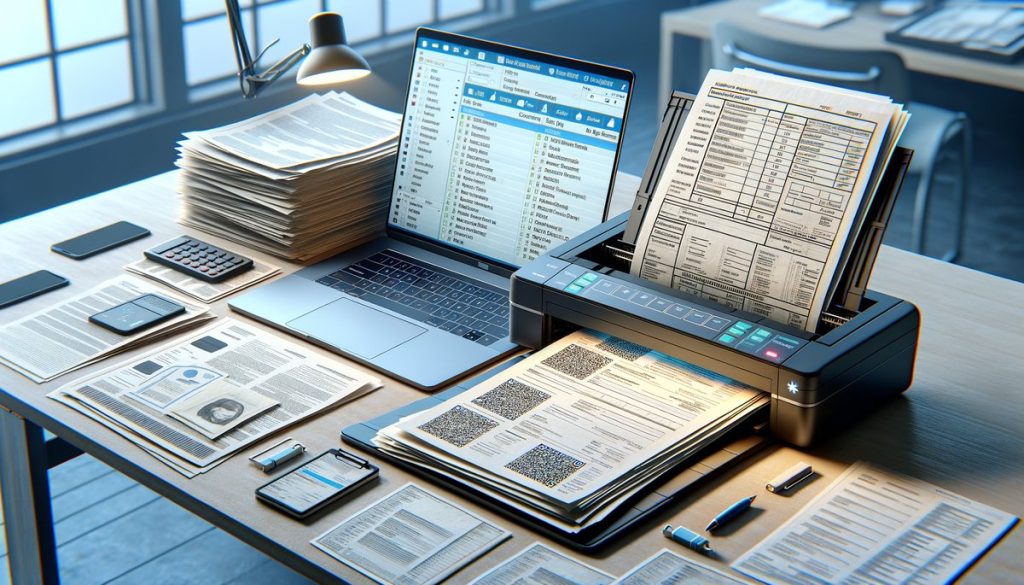
OCR was a huge step forward. But it only solves part of the problem.
If you’ve ever scanned a paper document and turned it into searchable text, you’ve already used OCR. That’s the short answer to what is OCR: OCR stands for Optical Character Recognition, and it converts images of text into machine-readable text.
For a long time, that was enough. If your goal was to digitize paper files, archive contracts, or make PDFs searchable, OCR did the job.
But today, operations teams usually need more than searchable text. You don’t just want to read a document. You want to pull data out of it, route it to the right system, validate it, and trigger the next step without somebody retyping everything by hand.
That’s where basic OCR starts to come up short.
What is OCR, exactly?
At its core, OCR is software that looks at an image—a scanned invoice, a photo of a receipt, a PDF of a form—and identifies the letters and numbers on the page. It converts those shapes into digital text your systems can store, search, and sometimes edit.
So if you scan a vendor invoice with the line “Invoice Total: $4,286.19,” OCR can recognize those characters and output that text. Useful, absolutely. It saves someone from typing the whole page into a document management system.
The technology itself isn’t new. OCR has been around in one form or another for decades, and the accuracy is a lot better than it used to be. Modern engines can often hit 95% to 99% character recognition on clean, high-resolution documents. Still, that number can give a false sense of security if you’re making business decisions from the output.
Recognizing characters and understanding a document are two different things.
What OCR does well
OCR still absolutely has a place in document workflows. If all you need is printed text turned into searchable content, it’s fast, relatively inexpensive, and often plenty good enough.
It shines when documents are consistent and clean—typed PDFs, standardized forms, scans with strong contrast, no handwritten notes crammed into the margins.
OCR is typically good at tasks such as:
- Making scanned PDFs searchable
- Converting printed pages into editable text
- Digitizing archives
- Supporting records management and compliance searches
- Reducing some manual data entry for simple documents
If your only problem is “we can’t search what’s in these files,” OCR may be exactly what you need.
That said, most teams I talk to aren’t trying to stop there. They’re processing invoices, intake forms, bills of lading, claims packets, onboarding documents—the stuff that actually moves work through the business. Different problem entirely.
Why OCR isn’t enough anymore
The catch is pretty simple: OCR sees text, but it doesn’t really know what the text means.
It can read “04/03/2026.” But is that an invoice date, a due date, a service date, or a contract renewal date? OCR alone can’t tell you. It just hands back strings of text in roughly the order they appear on the page.
That leaves a pretty big gap between digitizing a document and actually using the information inside it.
Say your AP team gets 1,200 invoices a month from 80 vendors. Even if OCR captures every character perfectly, somebody still has to figure out which number is the invoice total, which field is the PO number, whether the vendor name matches your ERP record, and whether the invoice should be approved or flagged.
That’s why OCR projects can feel underwhelming after go-live. People expected automation. What they got was text extraction—and then a pile of cleanup work.
OCR struggles with document variability
Layout variation is one of the biggest headaches. A standard OCR engine can read the words on a page, sure, but when Vendor A puts the invoice number in the top right corner and Vendor B drops it near the footer, OCR by itself doesn’t reliably understand those fields in context.
And real business documents are messy. You get crooked scans, low-resolution phone photos, stamps, signatures, handwritten corrections, multi-page PDFs, and forms that were clearly designed 15 years ago by somebody who loved tiny fonts.
Even a 2% error rate sounds manageable until you scale it. On 10,000 pages, that’s 200 pages with recognition errors. And if one wrong digit turns $8,100 into $3,100, the damage is bigger than the percentage makes it sound.
OCR doesn’t validate what it reads
OCR also usually won’t tell you whether the extracted value makes sense in your process.
If it reads “O” instead of “0” in an account number, the result may still look plausible. If it mistakes “1/11/24” for “1/17/24,” nobody catches it until there’s an exception downstream. OCR captured text, but it didn’t apply business logic.
And that’s the part operations teams care about. You don’t just need data captured. You need data you can trust.
OCR usually doesn’t handle the next step
This gets overlooked all the time during evaluations. OCR is often treated like the full answer when it’s really just one piece of the stack.
Once the text is recognized, then what? Does it get mapped to fields? Checked against a vendor master? Sent into Dynamics 365, SharePoint, or another system? Routed for approval in Power Automate? Flagged if a total doesn’t match line items?
If the answer is “someone exports a CSV and fixes it manually,” you haven’t automated the workflow. You’ve just shoved the manual work downstream.
The difference between reading text and understanding documents
This is where newer tools start to change things. Document AI platforms don’t just read characters. They identify structure, context, and meaning.
So they can often recognize that “Net 30” is a payment term, that a table contains line items, that a signature block belongs to an agreement, or that a value should be treated as a currency amount instead of plain text.
If you want a deeper breakdown, our guide on AI Document Intelligence vs OCR lays out how traditional OCR compares with newer AI-based approaches in real business workflows.
The practical difference is simple: OCR helps you read documents, and document intelligence helps you process them.
What modern teams actually need
Most organizations looking at document automation are trying to fix one of a few recurring problems: too much manual entry, too many delays, too many errors—usually some lovely combination of all three.
And when you dig into it, the real requirement usually isn’t “convert images to text.” It’s closer to this: pull the right fields from mixed document types, classify them correctly, validate the results, and move them into a business process with as little human effort as possible.
That’s a bigger job than OCR was ever built for.
Take employee onboarding packets. You may need to identify which pages are W-4 forms, which are direct deposit forms, and which are policy acknowledgments. Then extract names, dates, and IDs, check for missing signatures, and store the right files in the right places.
OCR can help read the pages. It won’t reliably orchestrate the process.
Document extraction is the more useful concept
In a lot of cases, when people ask about OCR, what they really want is document extraction. They’re after specific business data, not a full page of raw text.
That’s why it helps to understand what document extraction means before choosing a tool. Extraction is about capturing the fields that matter—invoice number, due date, customer name, claim ID, subtotal, tax, signature status—in a format your systems can actually use.
It sounds like a small distinction, but it changes the whole project. You stop asking, “Can software read this page?” and start asking, “Can software pull the right data with enough confidence to drive a workflow?”
Where OCR still fits in a modern workflow
None of this means OCR is obsolete. It just means OCR is a foundational layer now, not the whole solution.
In Microsoft-based environments, OCR often sits underneath broader automation capabilities. A platform may use OCR to recognize text, then apply AI models, rules, and workflow logic on top of that output.
That stack matters because the value doesn’t come from text recognition by itself. It comes from what happens after recognition.
In practice, OCR still makes sense when you need to:
- Searchable document archives
- Basic digitization of paper records
- Lightweight capture from predictable forms
- A first step inside a broader intelligent document processing workflow
But if your documents drive financial, operational, or compliance decisions, you’ll usually need more than OCR to get reliable results.
A real-world example: invoices
Invoices are probably the clearest example because almost every operations leader has seen this play out.
On paper, invoice processing sounds simple. Read the invoice. Capture the fields. Send it for approval. Post it to the finance system.
Then real life shows up. One supplier uses “Inv #.” Another uses “Reference No.” A third hides the due date in a footer next to bank details. Some invoices have 2 line items. Others have 200.
Basic OCR can capture the text from all of them. But your team still has to interpret the output, map the fields, catch exceptions, and move the data into the next system.
That’s why many finance teams end up focusing on automating invoice processing using a combination of AI extraction, validation rules, and workflow tools such as Microsoft Power Platform. The goal isn’t just to read invoices faster. It’s to reduce touchpoints, shorten approval cycles, and give AP staff time back.
And one thing people often underestimate: the biggest cost in invoice handling usually isn’t typing. It’s exception management. If 15% of invoices need someone to investigate mismatches, missing POs, or duplicate numbers, that exception queue can eat up more time than the initial capture step.
OCR alone doesn’t fix that.
The trade-offs you should know before choosing a solution
If you’re evaluating document automation tools, it helps to be honest about the trade-offs. More advanced solutions can do a lot more than OCR, but they’re not magic.
AI-based extraction tools usually need setup, testing, and tuning. You may need sample documents, field mapping, exception handling rules, and integration work. If your process is messy, software will expose that fast—sometimes painfully fast.
There’s a cost trade-off too. Basic OCR is often cheaper to deploy than full intelligent document processing. If your volume is low—say 100 documents a month—and the documents are simple, a heavier solution may not pay off right away.
But if you’re processing 5,000 invoices, claims, or intake forms a month, the economics change fast. Saving even 3 minutes per document adds up to 250 hours a month. That’s where better extraction and workflow automation start making a very different business case.
The other trade-off is confidence versus control. Some teams want straight-through processing with minimal human review. Others need a human-in-the-loop model for compliance, auditability, or edge cases. Usually the best design isn’t “fully automated at any cost.” It’s “automate the routine work and surface the exceptions clearly.”
How to tell whether OCR is enough for your business
A simple test: ask what happens after the text gets captured.
If your team still has to open the file, find the right values, compare them against another system, and decide where the document goes next, OCR is probably not enough.
On the other hand, if your main goal is making old PDFs searchable for records retrieval, OCR may be exactly the right level of technology.
Here are a few signs you need more than basic OCR:
- You process multiple document layouts from different vendors or customers
- Your staff spends time validating extracted fields
- Exceptions and rework are slowing down approvals
- You need data pushed into downstream systems, not just text on a page
- You care about audit trails, confidence scores, or business-rule validation
If that sounds familiar, you may already be ready to automate document processing beyond a basic OCR deployment.
What to do next if you’re evaluating OCR
Start with the process, not the acronym.
That’s the advice I’d give any operations manager or IT lead in the Microsoft ecosystem. Before you compare tools, map the workflow end to end. What documents come in? What fields matter? What exceptions happen most often? Where does the data need to go? Which steps still require judgment from your team?
Then separate the problem into layers. One layer is text recognition. Another is field extraction. Another is validation. Another is workflow automation. Once you look at it that way, it gets much easier to see whether OCR alone fits your needs—or whether you need a broader document intelligence approach.
If you want a practical next step, pick one document-heavy process—invoices, onboarding packets, service forms, claims, whatever is creating the most friction—and measure three numbers this month: document volume, average handling time, and exception rate. Those numbers will tell you more than a polished vendor demo ever will.
And they’ll make it pretty clear whether OCR is the answer or just the starting point.