
Why Utility Bills Become a Real Operations Problem at Scale
“Utility Bill Processing for Multi-Site Facilities Teams” sounds narrow at first. But if you manage dozens, hundreds, or even just a handful of locations, you already know it gets messy fast.
Every site has its own electric, gas, water, trash, sewer, or telecom invoices. They show up in different formats, on different schedules, from different vendors, with different account numbers and service periods. Some land as PDFs in email. Some still come through as scans from a local office printer. Others sit in vendor portals until somebody remembers to log in—and sometimes that reminder is a late fee.
That’s where the real cost starts. Not the invoice amount by itself, but all the labor wrapped around it.
Your team has to open the file, figure out what kind of bill it is, pull out the service address, billing period, usage, taxes, meter numbers, and total due, then send it to the right person or system. If you’re using Excel, AP software, SharePoint, Dynamics 365, or some mashup of all of them, somebody is probably entering the same data twice. Maybe three times.
For facilities teams, there’s another layer people miss all the time: utility bills aren’t just payable documents. They’re operational data. Buried in them are clues about site performance, occupancy changes, equipment issues, after-hours usage, and billing errors that can quietly eat budget for months before anyone catches it.
So when bill processing stays manual, you’re not only paying people to key in data. You’re also making it harder to spot what’s going wrong across the portfolio.
What Multi-Site Teams Are Really Up Against
Single-location billing is annoying. Multi-site billing is a whole different animal.
Most facilities leaders inherit a patchwork. One region may use one utility provider, while another region has five. A newly acquired site might still send invoices to an old mailbox. A property manager may approve bills one way, while a corporate AP team expects something else entirely. Even naming conventions can wreck reporting. One bill says “Store 214.” Another says “Location #214.” Another uses only a street address.
That inconsistency is why automation is harder than it looks from the outside. The question usually isn’t whether AI can read a PDF. It’s whether your process can deal with all the real-world variation around that PDF.
In my experience, the biggest pain points usually look like this:
- Bills arrive through too many channels: email, portal downloads, mailroom scans, vendor EDI, and shared folders.
- The same vendor uses different layouts depending on the state, service type, or acquired utility brand.
- Critical fields aren’t standardized, especially site names, account numbers, and service periods.
- Approvals depend on location, cost center, lease structure, or exception thresholds.
- Usage data is needed for reporting, not just payment.
- Audit trails are weak because people work out of inboxes and spreadsheets.
And there’s one more thing that tends to show up late in the conversation: utility bills often need to be matched against master site data, not just read on their own. If the bill says “Main Street Plaza” but your ERP says “MSP-0037,” the process needs a dependable way to connect those records.
Without that, even a strong extraction tool can still leave your team stuck doing cleanup by hand.
What Good Utility Bill Automation Actually Looks Like
A useful automation process doesn’t stop at OCR. It should move the bill from arrival to action with as little human effort as possible, while still giving your team a clear place to step in when something looks off.
At a practical level, that usually means five steps happen in sequence.
1. Bills are captured from wherever they arrive
Email inboxes, SharePoint folders, scanned uploads, vendor exports, and line-of-business systems all feed into one intake process. If you’re in the Microsoft world, this often gets handled with Power Automate, SharePoint, Outlook connectors, Azure storage, and other custom workflow components.
The goal is simple: no more hunting around for invoices.
2. The document is classified and read
The system identifies whether the bill is electric, gas, water, telecom, or another service type, then extracts the fields your team actually needs. If you want a cleaner picture of document extraction basics, that’s the foundation here.
For utility invoices, the high-value fields usually include vendor name, account number, service address, billing date, due date, service period, usage quantity, unit of measure, total amount due, taxes, and sometimes meter IDs or demand charges.
3. The bill is validated against business rules
This is where automation really starts pulling its weight. You don’t just extract data. You check it.
Does the account number match a known site? Is the service period overlapping with another invoice? Is the total way outside the normal range for that location? Is the vendor approved? Is the bill missing a page? Those checks catch the exceptions that would otherwise drift through as “someone else will deal with it.”
4. The bill is routed to the right place
Once validated, the invoice can move into AP, a facilities review queue, a cost-center approval flow, or a utility analytics dataset. Some organizations send approved invoice data to Dynamics 365 Business Central or Finance. Others push it into SAP, Oracle, or a custom finance process while keeping the document in SharePoint for reference.
5. Exceptions are surfaced clearly
No automation project should promise that every utility bill will go through untouched. That’s just not real life. What you want is a short, manageable exception list with obvious reasons: unread field, unknown account, duplicate bill, missing address match, unusual usage spike, and approval required.
That’s a far better use of your team’s time than reviewing every single invoice just in case.
Why Microsoft-Centric Teams Have an Advantage
If your organization already uses Microsoft 365, Azure, Power Platform, or Dynamics, you’re not starting from zero, though integration, governance, and licensing can still be a pretty big lift. That matters.
You can build a workflow where bills land in Outlook or SharePoint, get processed through Azure AI and Azure AI Document Intelligence, move through Power Automate approval steps, and end up in the systems your finance and operations teams already use. For a broader walkthrough of how document intelligence works, that’s the bigger picture behind this approach.
The upside isn’t just technical compatibility. It’s adoption too.
Users are often more willing to trust a process that shows up in tools they already know—Teams approvals, SharePoint document libraries, Power BI dashboards—rather than yet another standalone platform with separate logins, separate training, and its own governance headaches.
There is a trade-off, though. Microsoft gives you a lot of building blocks, not always a finished out-of-the-box utility billing product. So the design work matters. The process has to reflect your locations, your approval rules, your vendor mix, and your reporting needs.
The Fields That Matter Most in Utility Bill Processing
One mistake I see a lot is teams trying to extract everything just because they can. That usually creates more noise than value.
What you really want are the fields that drive payment, validation, allocation, and analysis. For most multi-site facilities teams, that short list includes:
- Vendor name
- Utility type
- Account number
- Invoice number
- Invoice date
- Due date
- Service period start and end
- Service address or site identifier
- Total amount due
- Usage amount and unit
- Tax and fee breakdowns when needed
- Meter number or service ID for matching
That may sound obvious, but here’s the part that tends to matter more in practice: site matching is often more valuable than extracting one more line item. If the system can confidently map a bill to the correct facility, cost center, and region, you can automate routing and reporting. If it can’t, your team is still doing detective work.
So before you get obsessed with perfect extraction of every charge code, answer the simpler question first: does this bill belong to Site A, Site B, or neither?
Common Failure Points to Watch for Early
Most document automation pilots look great with a clean test set. Then real life shows up.
A utility provider changes its invoice layout. A scanned bill is crooked and low-resolution. A merged PDF contains two accounts in one file. A landlord forwards a backup invoice with handwritten notes. Or a site gets rebilled for a prior period, and now your duplicate logic flags the wrong document.
None of that means automation failed. It means exception handling needs to be designed on purpose, not bolted on later.
Here are the trouble spots worth planning for from day one:
- Poor scan quality from branch offices or third-party property managers
- Multiple bill formats from the same vendor
- Sites with shared meters or campus-style service addresses
- Credits, rebills, and corrected invoices
- Duplicate submissions from email and portal downloads
- Newly opened or acquired locations not yet in the master site list
- Utility bills that include attachments your AP system can’t interpret
One point that gets overlooked a lot: the quality of your site master data can matter more than the quality of the AI model. If your location list is stale, inconsistent, or split across departments, even accurate invoice extraction won’t give you clean downstream results.
That’s why the best projects treat utility bill automation as both a document problem and a data-governance problem.
How to Think About ROI Without Overcomplicating It
When operations leaders evaluate automation, they usually start with labor savings. Fair enough. If your team spends hours each week opening bills, entering data, checking totals, and chasing approvals, cutting that manual work has obvious value.
But utility bill processing usually pays off in more ways than a typical invoice workflow.
You may also reduce late fees, improve audit readiness, speed up month-end close, and give facilities leaders cleaner usage data across locations. Better visibility can help you catch billing errors, vacant-site consumption, or equipment issues earlier. Those gains are harder to pin down precisely, but they’re real.
If you want a structured way to calculate automation ROI, start small: one bill type, one region, or one set of high-volume vendors. Measure current effort honestly, including rework and exception handling—not just the minutes spent on data entry.
Then compare that with an automated process that still includes human review where it makes sense. That gives you a much more believable business case than promising “lights-out” processing for everything.
Where Utility Bills Fit in a Bigger Automation Roadmap
Utility invoices are often a smart early candidate because they’re frequent, repetitive, and tied to real operational outcomes. But they shouldn’t live on an island.
For many organizations, they’re part of a broader facilities or finance workflow that also includes lease documents, work orders, service invoices, compliance forms, and vendor contracts. If you’re deciding on the best documents to automate first, utility bills often make sense when you already feel pain around site volume, inconsistent formats, or energy reporting.
The main thing is to design reusable parts. Your intake process, validation logic, exception queues, approval patterns, and reporting layer can often support other document types later. That’s why thinking in terms of a document intelligence pipeline usually leads to better long-term results than solving just one invoice format in isolation.
Because once the business sees one workflow succeed, they’re going to ask what else can be automated next.
What a Practical Rollout Usually Looks Like
You do not need to automate every utility provider and every location on day one. Honestly, I’d advise against it.
A better rollout starts with a controlled scope. Pick a subset with enough volume to matter, but not so much complexity that the project gets bogged down. That might be electric bills for corporate-owned sites, all utility invoices for one region, or a handful of top vendors that make up most of your monthly volume.
Then work through the process in stages:
- Inventory where bills arrive today
- Define the required fields and business rules
- Map bills to your site master and finance structure
- Set confidence thresholds and exception paths
- Route approved data into your target systems
- Monitor exceptions and refine the model and rules
This gives you something a lot of teams skip: operational feedback. You learn which vendors are easy, which locations produce bad scans, which fields trigger the most exceptions, and where people are still working around the process.
That’s useful because the best version of your workflow usually isn’t the one you launch. It’s the one you tighten up after 30, 60, and 90 days of real usage.
What to Do Next If You’re Evaluating Utility Bill Automation
If this sounds familiar, don’t start by shopping tools in the abstract. Pull a real sample of utility bills from the last 60 to 90 days across a few locations and vendors.
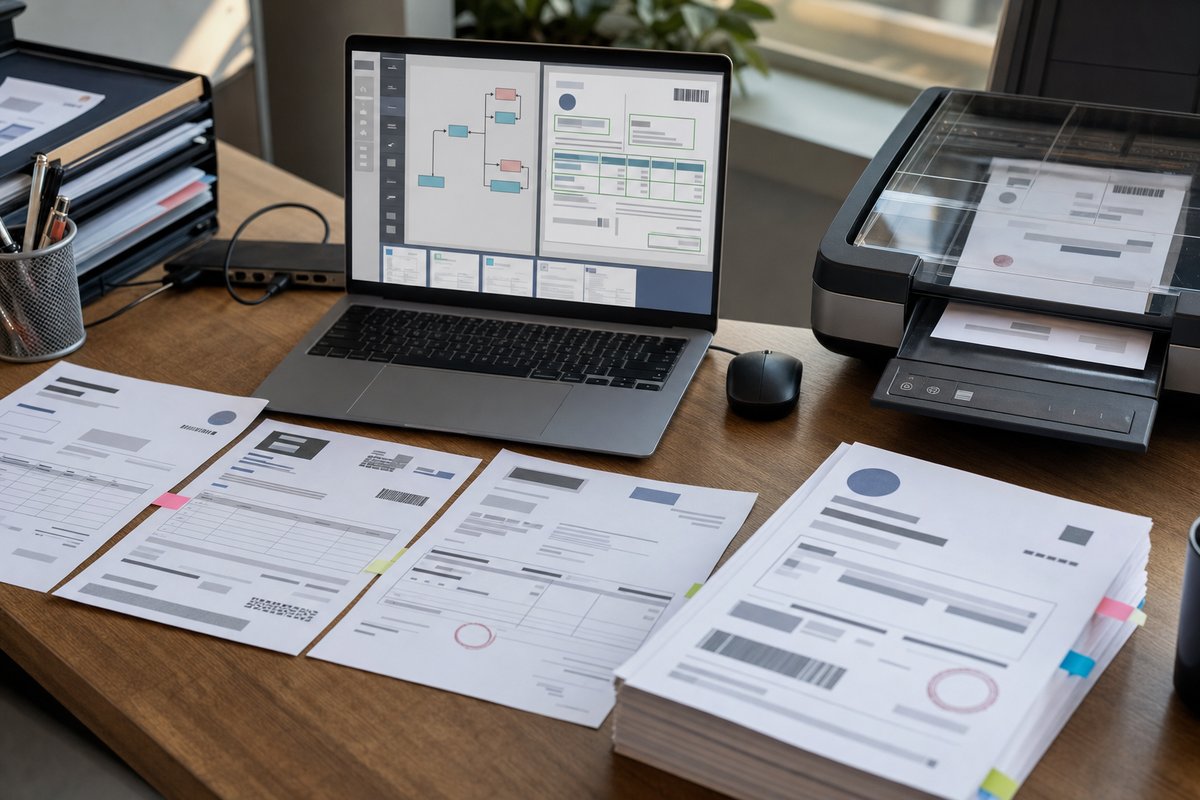
Lay them out side by side. Note where they come from, what fields your team actually uses, where approvals get stuck, and how often someone has to look up site details manually. That exercise alone usually tells you where the process is breaking—document reading, workflow routing, bad master data, or some combination of all three.
From there, choose one pilot scope and define success in plain English: fewer touches, faster approvals, cleaner site matching, or better reporting on usage and spend. Keep it practical.
Because for multi-site facilities teams, better utility bill processing isn’t just about getting invoices into the system faster. It’s about having cleaner control over costs, locations, and the decisions you’re already on the hook for every month.