
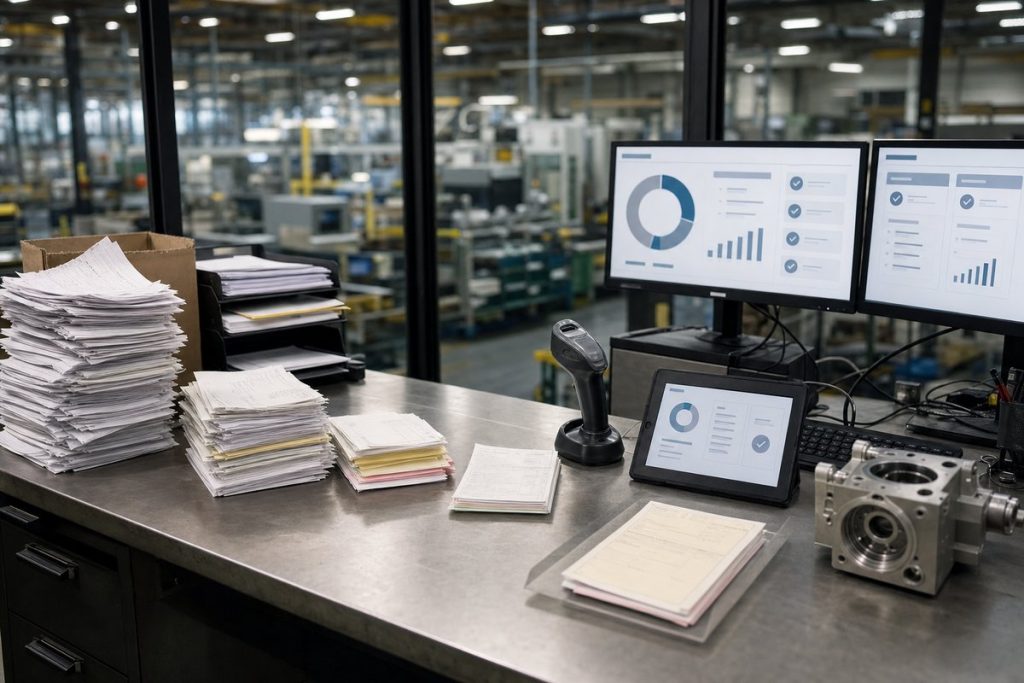
The starting point: Good people stuck doing bad work
If you’ve ever watched an accounts payable team work through a pile of emailed PDFs, scanned packing slips, and supplier invoices that all look a little different, you already know the problem. Nothing about it feels modern. And yet for a lot of mid-size manufacturers, that’s still the day-to-day reality.
In this case, a mid-size manufacturer came in with a setup that’s pretty common: invoices arriving from multiple suppliers, a lean AP team, an ERP that was too important to replace, and a bunch of manual steps between “invoice received” and “ready to pay.” The company wasn’t broken. It was just busy. But the process was dragging everything down.
Before automation, invoice handling looked like this: someone opened a shared AP mailbox, downloaded attachments, renamed files, keyed header fields into the ERP, checked purchase order numbers, routed exceptions by email, and chased approvals when something didn’t line up. Then they did it again—then again, hundreds of times.
The real problem wasn’t only speed. It was inconsistency.
One invoice might be a clean PDF from Grainger. Another might be a fuzzy scan from a local parts supplier. A third might cram together line items, freight, tax, and handwritten notes on page two. When every vendor format is different, manual work becomes the fallback—that’s when delays, duplicate entries, and approval bottlenecks start stacking up.
And if you’re wondering whether this is really worth fixing, think past labor hours. The cost of manual data entry usually shows up where finance and operations both feel it: missed early payment discounts, strained vendor relationships, month-end cleanup, and staff burning their best hours on copy-and-paste work instead of exceptions that actually need judgment.
What was slowing invoice processing down
On paper, the old process looked manageable. In real life, it had friction baked into almost every step.
Invoices came in through email, sometimes through supplier portals, and every so often as scans from receiving or plant admin staff. AP clerks had to sort them, figure out which business unit they belonged to, and manually capture key fields like vendor name, invoice number, date, PO number, totals, and payment terms. If a purchase order matched cleanly, great. If not, the invoice sat in somebody’s inbox while they went hunting for answers.
That may not sound like a crisis until you watch what it does over a month. Small delays pile up fast. One missing PO. One invoice with a blurry total. One approver out on vacation. One duplicate submission because a vendor never got confirmation. Before long, the AP team is spending more time managing the process than actually processing invoices.
For this manufacturer, several pain points stood out:
- Too much time spent keying invoice data from PDFs and scans into the ERP
- Too many exceptions routed through email with no clear visibility
- Too much dependence on specific employees who “just knew” how to handle odd supplier formats
That last one matters more than people admit. A manual AP process often lives in people’s heads. When one experienced coordinator is out sick, leaves the company, or gets pulled into something else, the whole workflow gets shakier. Automation isn’t just about moving faster. It’s about making the process less fragile.
The goal wasn’t flashy AI. It was a better workflow.
This is where plenty of projects get sideways: teams get excited about AI before they’ve nailed down what “better” is supposed to look like.
This manufacturer didn’t need a science project. They needed invoices to move from intake to review with less human effort, fewer handoffs, and better visibility. So the goal was straightforward: capture invoice data automatically, validate what could be validated, send only the real exceptions to people, and keep the ERP as the system of record.
That’s a very practical use case for document automation. It’s also why Microsoft tools made sense here. The business was already using Microsoft 365, Power Automate, Teams, and Azure services in other parts of the organization. So instead of dropping in some disconnected platform, the solution could live inside tools people already knew.
If you’re comparing options, that’s one reason many organizations start with accounts payable automation inside the Microsoft ecosystem. You can improve the workflow without kicking off a giant rip-and-replace project.
What the automated process looked like
The new process used Azure AI Document Intelligence to extract invoice data, Power Automate to orchestrate the workflow, and Microsoft 365 tools for notifications, approvals, and exception handling. The ERP stayed in place. That was important because the company had no interest in rebuilding finance operations around a new back-end system.
Here’s the basic flow.
1. Invoices landed in a monitored intake channel
Supplier invoices were sent to a dedicated AP mailbox. From there, Power Automate picked up attachments automatically and moved them into a controlled document location. That created a consistent intake point and an auditable trail from the moment the invoice arrived.
Even that first step helped more than expected. When invoices come in from five different directions, people waste time just figuring out where things are. One intake channel cuts through that confusion fast.
2. Azure AI extracted the key invoice fields
Once the file was captured, Azure AI Document Intelligence read the invoice and pulled out the fields the AP team normally typed by hand: supplier name, invoice number, invoice date, purchase order number, subtotal, tax, total, and other structured data. For a lot of invoices, it could do that without any human involvement.
If you want the plain-English version of what’s happening under the hood, here’s how document intelligence works. The short version: the model doesn’t “read” a document the way a person does, but it can recognize patterns and labeled fields well enough to turn messy documents into usable business data.
And no, that doesn’t mean every invoice is perfect on the first pass. Low-quality scans, unusual layouts, and missing values still happen. The real win is that people stop touching the easy ones and spend their time on exceptions.
3. Business rules checked what could be checked automatically
After extraction, the workflow validated the data against business rules. Was the supplier recognized? Did the PO number exist? Did totals make sense? Was the invoice potentially a duplicate based on vendor, date, invoice number, and amount? If the invoice passed the checks, it could move ahead. If not, it was flagged for review.
This is the point where automation starts to feel like more than “OCR with extra steps.” Data capture saves time, sure. Validation is what really cuts rework.
4. Exceptions went to the right people, not to a generic inbox
When something didn’t match, the invoice didn’t vanish into email chaos. Power Automate routed the exception based on the issue. A PO mismatch might go to purchasing. A missing receipt issue might go to receiving. A pricing discrepancy might go to the plant or vendor manager who knew that supplier best.
That routing matters more than most teams expect. A lot of invoice delays have nothing to do with AP. They happen because AP ends up playing traffic cop for problems owned somewhere else.
5. Approved data moved into the ERP with less manual entry
Once validated and approved, the invoice data was pushed into the ERP in the format finance needed. Depending on the ERP, this can happen through APIs, import files, or integration middleware. The exact method varies, but the principle is the same: don’t make staff retype what the system already knows.
This kind of setup is a solid example of how to automate invoice processing without replacing core finance systems the business still relies on.
Where the 80% time reduction actually came from
The headline number sounds dramatic, but it didn’t come from one magical feature. It came from shaving off small delays across the whole workflow.
Manual download and file handling disappeared. Data entry dropped hard because the system extracted common fields automatically. AP staff stopped babysitting every invoice and only stepped in when confidence was low or a rule failed. Approvals moved faster. Duplicate checking got more consistent. And everybody had better visibility into where an invoice was stuck.
That’s usually how these projects work. You don’t save time in one big chunk. You save it a little at a time, in layers.
For this manufacturer, the biggest gains came from a few key areas:
- Touchless processing for straightforward PO-backed invoices
- Fewer manual reviews because extracted data was pre-validated
- Less back-and-forth across AP, purchasing, and operations teams
There’s also a quieter gain here: context switching dropped. That’s easy to miss if you haven’t sat with an AP team lately. Every time someone stops keying data to chase an approver, dig through an inbox, or compare a PDF against ERP records, they lose momentum. Automation doesn’t just shorten the process. It makes the work less chopped up.
Why Power Platform made sense here
Some companies hear “automation” and assume they need a huge custom build. Usually, they don’t.
For a mid-size manufacturer already using Microsoft tools, invoice processing with Power Platform made sense because it handled orchestration, notifications, approvals, and exception routing without pushing users into a developer-heavy environment. Finance and operations teams could see the workflow logic. IT could govern it. And updates didn’t mean rebuilding the whole thing from scratch.
That flexibility mattered because supplier behavior changes. New vendors get added. Existing vendors change formats. Approval rules shift. Plants handle receiving differently. An AP workflow doesn’t stay still for long, so the automation layer has to bend a little.
There is a trade-off, though. Power Platform isn’t a substitute for process discipline. If approval rules are inconsistent, vendor master data is messy, or every plant follows a different invoice policy, automation will expose that in a hurry. That’s uncomfortable, but useful. Bad process plus automation is still bad process—just faster.
What changed for the AP team
One of the clearest signs a project is working is when the people doing the job feel relief instead of resistance.
Before the rollout, AP staff spent a lot of time on repetitive entry and inbox triage. After rollout, their role shifted toward review, exception handling, and vendor coordination. They were still essential. They just weren’t acting like human scanners anymore.
That distinction matters if you’re talking about this internally. Document automation doesn’t remove the need for experienced finance staff. It changes where their attention goes. For most good AP teams, that’s a pretty welcome shift.
There’s another piece decision-makers sometimes miss: automation can make AP jobs easier to backfill and cross-train. When rules are embedded in workflows instead of living in one person’s memory, new staff can get up to speed faster. That’s a real operational advantage, especially for manufacturers dealing with turnover, vacations, or lean teams spread across multiple locations.
What the business noticed beyond speed
Faster invoice processing was the obvious result. It wasn’t the only one.
Finance had better visibility into invoice status. Operations teams got cleaner exception routing instead of random email requests. Vendors got fewer duplicate questions. Leadership had a clearer picture of where bottlenecks were happening, which made it easier to improve policy instead of guessing.
A lot of teams miss this early on: AP automation is also a data quality project.
When invoice information enters your systems in a more structured, consistent way, downstream reporting gets better. Spend analysis gets cleaner. Audit support gets easier. Duplicate detection gets more reliable. And if you later want to expand automation into purchase order matching, supplier onboarding, or payment workflows, you’ve already got a strong foundation.
So yes, the time savings matter. But the longer-term value is often simpler than people make it sound: your document process becomes something the business can actually trust.
What you’d want to copy from this case study
If you’re trying to apply this to your own environment, don’t fixate only on the 80% figure. Look at what made that result possible.
First, the company had a defined intake process. Second, it automated the common path before getting lost in edge cases. Third, it used AI for extraction and workflow tools for routing, validation, and approvals. Fourth, it kept humans involved where judgment was still needed.
That’s the pattern I recommend most often. Start with the invoices that should be easy. Get those moving with minimal human effort. Then tighten up exception handling. If you try to solve every weird supplier scenario on day one, you’ll slow the project down and make adoption harder.
It also helps to pick the right first metrics. Processing time is one. I’d also watch exception rate, duplicate detection, approval turnaround, and how many invoices still require manual entry. Those numbers tell you whether the workflow is actually getting healthier or just moving the bottleneck somewhere else.
A practical next step if you’re evaluating invoice automation
If your AP team is still opening attachments, typing invoice fields into an ERP, and chasing mismatches through Outlook and Teams, you don’t have to guess whether automation could help. Map the current process and you’ll see it pretty quickly.
Start with one week’s worth of invoices. Count how many arrive by email, how many are PO-backed, how many need manual keying, how many hit exceptions, and where they sit the longest. That gives you a real baseline from your own business—not a polished vendor demo.
Then identify one workflow you can improve first—usually standard supplier invoices going into a single ERP process. That’s often the cleanest place to prove value. From there, you can decide whether you need a broader accounts payable automation roadmap or a more targeted implementation using Azure AI and Power Platform.
If you want a simple way to pressure-test the idea, grab five recent invoices from five different suppliers and ask one question: how many human touches did each one require before it was ready to post? Once you see that number, the case for automation usually gets a whole lot more concrete.


